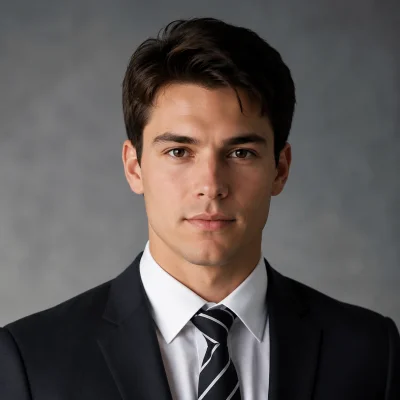

You have the product photo. You have the clothing. What you don't have is 3 hours, a photographer, and a model.
That's $500–2,000 per shoot — for images that might not even convert.
An AI outfit generator does the same job in 10 seconds, from one flat-lay photo, for under $1.
This guide covers exactly how it works, who it's for, and how to start generating styled looks right now.

What Is an AI Outfit Generator?
An AI outfit generator takes a single clothing item — a photo of a shirt, skirt, or jacket — and creates a complete, styled outfit on an AI model. Full look. Realistic scene. Ready to post or sell.
No wardrobe needed. No studio. No model booking. Just one image in, styled content out.
Unlike manual styling where you need to physically coordinate pieces, shoot in proper lighting, and edit photos afterward, an AI outfit generator handles everything from matching complementary pieces to placing the outfit in a professional scene — all from a single upload.
Who Uses AI Outfit Generators (And Why)
E-commerce Sellers: Cut Shoot Costs by 90%
Running a clothing store means product photos sell for you. But a single model shoot costs $500+ and gives you one look per outfit.
With Tryonr's AI Outfit Generator, upload a flat-lay photo and get a fully styled model shot in 10 seconds. Same skirt, five scenes, five looks — all from one image.
Returns drop when buyers see realistic styled photos. Conversion rates increase 2–3x when customers can visualize how pieces look together.
Fashion Creators: 10x Your Content Output
Producing daily outfit content used to mean hours of shooting, coordinating, and editing. Now one flat-lay becomes a week of content.
Upload a single item, generate it across multiple scenes — minimalist room, seaside, streetwear backdrop — and you have a content library without leaving your desk.
Creators using AI outfit tools report cutting content production time from 6–8 hours per week to under 2 hours, while posting more frequently.
Personal Styling: Your AI Stylist, No Appointment Needed
Not sure how to style that new jacket? Upload it and let the AI generate outfit ideas across different aesthetics — casual, formal, streetwear, minimalist.
You see what works before buying anything else. No more impulse purchases that sit in your closet unworn.
Brands and Designers: Show Every Piece on Every Body Type
Product diversity matters. Shoppers want to see clothes on people who look like them.
AI outfit generators let you show the same piece on different AI models with different body types, skin tones, and styling — without booking multiple models or running multiple shoots.
How to Use Tryonr's AI Outfit Generator
Total time: under 45 seconds.
Step 1: Open the Generator (~5 seconds)
Go to tryonr.com/ai-outfit-generator. Works in your browser — no download, no app. Chrome, Safari, Firefox, desktop or mobile.
Step 2: Upload Your Clothing Photo (~10 seconds)
Upload a photo of the item you want styled. Flat-lay, hanger shot, or mannequin — all work. Clear, well-lit photos on a simple background give the best results.
Step 3: Choose Your Style and Scene (~15 seconds)
Select the scene and aesthetic you want — minimalist studio, outdoor setting, vintage interior, street style. Pick the AI model that fits your target audience or personal preference.
Step 4: Generate (~10 seconds)
Hit generate. The AI matches complementary pieces, places everything on your chosen model, and renders a realistic styled photo. Watch it happen in real time.
Step 5: Download and Use (~5 seconds)
Save your styled image. Post it to your store, share it on social media, or use it in your lookbook. The image is yours — licensed for commercial use.
Want to take it further? Use Tryonr Virtual Try-On to see how specific pieces look on your own body, or try AI Hairstyle Changer to complete the look from head to toe.
What You Get: Before vs After
The difference between a flat-lay product photo and an AI-generated styled look is the difference between "here's a shirt" and "here's how you could look wearing it."
Before: A skirt lying flat on a white background. No context. No styling. No emotional connection.
After: The same skirt on an AI model, paired with a complementary top, in a sun-lit minimalist room. Styled, professional, ready to sell.
Same item. 10 seconds apart.
And it doesn't stop at one look. The same approach works across different garment types — a single grey t-shirt becomes a navy blazer look or a white linen shirt, all on the same model:

Take it further with scene variation. One item can be styled across completely different environments and aesthetics:

1 item. 4 looks. 0 extra clothes needed.
AI Outfit Ideas for Every Occasion
Need styling inspiration? Here's where AI outfit generation adds the most value:
Everyday Casual — AI understands how to pair basics like tees, jeans, and sneakers in ways that look put-together rather than thrown together. Ask it to build a capsule wardrobe from core pieces you already own.
Work and Office — Business casual has infinite interpretations. The AI navigates the balance between professional and personal, suggesting combinations that read as intentional and polished.
Date Night — High stakes, clear intent. AI outfit tools suggest looks that hit the right confidence level — whether it's a first date or an anniversary dinner.
Event and Formal — Weddings, galas, and formal events are where AI styling shines. It suggests what complements a specific color palette, venue, or dress code without guessing.
Seasonal Transitions — Moving from summer to fall and not sure what still works? The AI cross-references your existing pieces with seasonal trends and layering logic.
AI Outfit Generators: How They Compare
| Tool | Type | Best For | Starting Price |
|---|---|---|---|
| Tryonr | Outfit generation + virtual try-on | Full styling workflow — generate, try on, preview | 10 free credits, then paid plans |
| WeShop AI | AI model + scene generation | E-commerce product shots | Free tier available |
| Cala | AI-assisted fashion design | Designers creating new pieces | Varies |
| FashionAdvisor.AI | Style Q&A chatbot | Quick fashion advice | Free |
| Stitch Fix | Human + AI styling | Subscription wardrobe building | Styling fee + items |
What sets Tryonr apart: it's the only platform that combines outfit generation, virtual try-on, and hairstyle preview in one place. You don't just see an outfit — you see the complete look on yourself.
Start Generating Styled Looks
Every minute spent arranging a manual photo shoot is a minute not spent on selling, creating, or living.
Tryonr's AI Outfit Generator gives you styled, professional, ready-to-use outfit images — from a single clothing photo, in under a minute.
- 10 free credits on signup — no credit card needed
- Works in your browser — no download, no app
Your next styled look is one upload away.
Start generating outfits for free →
For more AI fashion tools, explore our AI Virtual Try-On guide and AI Outfit Recommendation deep dive.


