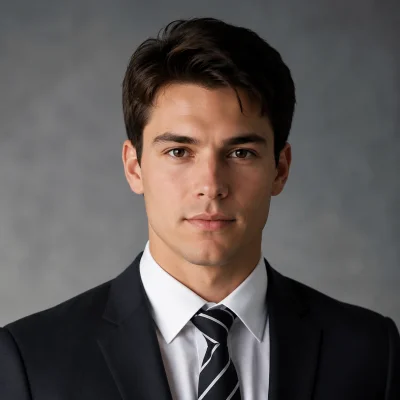

In January 2025, I paid a photographer $2,000 to shoot 12 products for my Etsy store. Rented a studio. Hired a model. Waited two weeks for edited files.
The photos looked great. My sales went up 40%.
But here's the problem: I add new products every month. Another $2,000 every time? That's $24,000 a year just on photography. For a small store doing $8,000 a month in revenue, that math doesn't work.
A friend who runs a Shopify store told me she stopped using photographers entirely. "I shoot flat-lays on my kitchen table and turn them into model shots with AI," she said. "Takes five minutes. Costs less than a dollar per image."
I was skeptical. But I tried it. And it changed my business.

The Real Cost of Product Photography
If you sell clothes online, you already know this pain. Let me break down what traditional product photography actually costs for a small seller:
Per-session costs:
- Studio rental: $200-500
- Model: $200-800 (more for diversity — which you need)
- Photographer: $500-1,500
- Styling and steaming: $100-200
- Post-production editing: $200-500
- Total: $1,200-3,500 per session (typically 10-20 products)
The hidden costs nobody mentions:
- Scheduling takes 2-3 weeks of back-and-forth
- You need multiple models for size and skin tone diversity
- Seasonal re-shoots (that sundress needs to look summery, not shot in a November studio)
- Re-shooting when products change slightly (new color, updated fit)
For a store with 100 products that adds 10 new items monthly, you're looking at $10,000-20,000 per year minimum. That's before you've sold a single item.
How AI Virtual Try-On Creates Model Shots
Here's what blew my mind: AI virtual try-on doesn't just let customers try on clothes. It lets sellers create professional model photos from flat-lay product images.
The AI takes your flat-lay photo (shirt folded on a white surface), understands the garment's shape, texture, pattern, and draping characteristics, then generates a photorealistic image of a model wearing that exact garment.
This is not Photoshop. There's no manual editing. The AI handles everything — body proportion matching, fabric draping, shadow generation, lighting consistency.

My Complete Workflow: From Flat-Lay to Model Shot
Here's exactly what I do now, step by step.
Step 1: Shoot Your Products (Cost: ~$30 Setup, Then Free Forever)
You don't need a studio. Here's my setup:
- Surface: A $15 white foam board from the craft store. Lay your garment flat on it.
- Lighting: A window. That's it. Natural daylight, indirect. I shoot between 10am and 2pm.
- Camera: My iPhone. No DSLR needed. The AI works with phone-quality photos.
- Backdrop: The foam board IS the backdrop. Clean, white, done.
Critical details for good results:
- Smooth out all wrinkles and folds. I use a handheld steamer ($15).
- Make sure the full garment is visible — collars, cuffs, hems, all edges.
- Shoot from directly above, perpendicular to the garment. No angles.
- Fill the frame. The garment should take up 70-80% of the image.
Total setup cost: about $30. I've used the same foam board for six months.
Step 2: Upload to Tryonr
Open Tryonr's Virtual Try-On in your browser. Upload the flat-lay photo you just took.
The AI immediately detects it's a garment and prepares it for model generation.
Step 3: Select Your Model
This is where AI photography has a massive advantage over traditional shoots. You can generate images with:
- Multiple body types — different sizes and proportions without hiring additional models
- Multiple skin tones — represent your full customer base
- Multiple poses — front, three-quarter, casual, professional
With a traditional shoot, every additional model is another $200-800. With AI, it's the same credit cost regardless of how many variations you generate.
I typically generate 3-4 model variations per product: two different body types, two different poses. Total time: about 2 minutes.
Step 4: Generate and Download
Hit generate. Each image takes about 10-15 seconds. Download in high resolution — good enough for product pages, social media, and even print catalogs.
Step 5: Use Everywhere
I use AI-generated model shots for:
- Etsy/Shopify product listings — main product images and gallery photos
- Instagram and Pinterest — lifestyle-looking model shots perform 3x better than flat-lays in my experience
- Email marketing — new arrival announcements
- Paid ads — Facebook and Google Shopping
What Works Best (And What Doesn't Yet)
After six months and hundreds of AI-generated model shots, I know exactly which product types produce great results and which ones need work.
Excellent results (I use AI exclusively):
- T-shirts and casual tops
- Button-up shirts and blouses
- Blazers and structured jackets
- Hoodies and sweatshirts
- Coats and outerwear
- Simple solid-color dresses
Good results (usable but not perfect):
- Jeans and straight-cut pants
- Sweaters and knitwear — the AI sometimes smooths out knit texture
- Polo shirts
I still use traditional photography for:
- Flowing dresses and skirts — the AI struggles with how fabric moves and drapes on different body types
- Heavily patterned items — complex prints can get distorted, especially around seams
- Accessories — scarves, bags, jewelry need their own treatment
As one r/StableDiffusion community member noted: "But both lack 100% pattern and fabric matching." For simple garments, I don't notice the difference. For complex patterns, it's visible.
My rule of thumb: If the garment is structured and solid-colored, AI handles it perfectly. If it's flowing and heavily patterned, test it — but have a backup plan.
The Numbers
Let me show you the actual cost comparison from my business.

Before AI (January 2025):
- Photography cost per product: ~$170 ($2,000 / 12 products)
- Monthly new product shoots: $1,000-2,000
- Time from shoot to listing: 2-3 weeks
- Model diversity: 1 model per shoot (couldn't afford more)
After AI (March 2026):
- Photography cost per product: ~$0.50-1.00 (credits cost)
- Monthly cost for new products: $15-30
- Time from flat-lay to listing: Same day
- Model diversity: 3-4 different models per product
Annual savings: ~$18,000
And beyond cost, the time savings changed my business. I used to plan shoots weeks in advance. Now I photograph a new product, generate model shots, and list it — all in the same afternoon. That speed means I catch trends faster and keep my store fresh.
A Quick Note on Quality and Honesty
I want to be straight with you: AI model shots are not identical to professional photography. A trained eye can sometimes tell the difference. The lighting is slightly more uniform than a real studio. The fabric draping is about 90% there, not 100%.
But here's what I've learned: customers care about seeing the garment on a body. They want to know the general shape, the fit, the color against skin. AI delivers that. My conversion rates have actually gone UP since switching — because I now have model shots for every product, not just the 12 I could afford to photograph professionally.
More images, more diversity, more products covered. That beats fewer but "perfect" images.
Getting Started: Your First AI Model Shot
If you want to try this today, here's the minimum viable setup:
- Take a flat-lay photo of one of your products on a clean white surface. Use your phone. Natural light.
- Go to tryonr.com/try-on and create a free account.
- Upload the flat-lay. Select a model. Generate.
- Compare the AI result to your current product photo. I bet you'll see why I made the switch.
Start with your best-selling, simplest product — a solid-color top or jacket. Once you see the result, you'll know whether this workflow fits your business.
For product image enhancement beyond try-on, check out Z-Image — useful for upscaling and improving your flat-lay source photos before feeding them into the try-on generator.
The Bottom Line
I'm not going to pretend AI replaces professional photography entirely. For a flagship campaign or a brand lookbook, you still want a real photographer, real model, real vision.
But for the daily grind of e-commerce product listings? The weekly "I just got 10 new items and need model shots by Friday" reality? AI virtual try-on is not just good enough — it's better. Because it's fast, it's affordable, and it lets you represent your products on diverse body types without a $20,000 annual photography budget.
My $2,000 photo shoots taught me what great product photography looks like. AI virtual try-on lets me achieve 90% of that quality at 1% of the cost. And for a small seller, that math changes everything.
Start your first AI model shot on Tryonr →
Selling clothes online? I'd love to hear how you handle product photography. What's working, what's frustrating, what you've tried. Drop a comment or reach out.


